
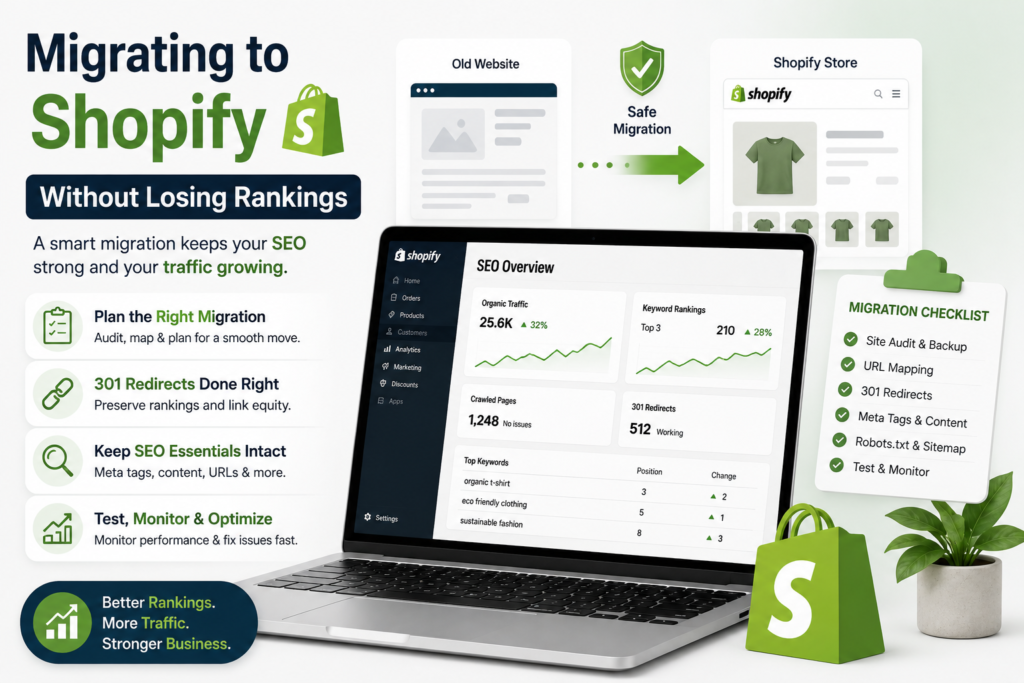
Most migration traffic crashes are not caused by Shopify. They are caused by launching without a redirect map. The old URLs 404, years of accumulated link equity evaporates, and by the time anyone notices in Search Console, four weeks of sales are gone.
Migration Steps
It is avoidable. Here is the process. (Part of our complete Shopify SEO guide.)
Before You Touch Anything: Capture the Baseline
You cannot tell whether a migration went well without knowing where you started.
- Crawl the entire old site. Every indexable URL — products, collections, blog posts, static pages. Export the list.
- Export Search Console data. Twelve months of queries, pages, clicks and impressions. Once the property changes, historical page-level data gets harder to work with.
- Record current rankings for your top 50 commercial keywords.
- Export your backlink profile. You need to know which specific pages have earned links — those are the ones a broken redirect will cost you most.
- Note your baseline traffic and revenue by month, so “did it work” is a number and not a feeling.
Skipping this step is why so many post-migration arguments are unresolvable.
Build the Redirect Map
This is the whole job. Everything else is smaller.
Take your crawl of old URLs and map each one to its new Shopify equivalent:
| Old URL | New Shopify URL |
|---|---|
/blue-cotton-kurta/ |
/products/blue-cotton-kurta |
/category/kurtas/ |
/collections/kurtas |
/blog/how-to-style-a-kurta/ |
/blogs/news/how-to-style-a-kurta |
Rules that matter:
- One-to-one wherever possible. Redirecting everything to the homepage is the same as deleting it, as far as rankings go.
- 301, never 302. Permanent redirects pass equity; temporary ones do not.
- No chains. Old → new, directly. Not old → intermediate → new.
- Discontinued products redirect to the closest equivalent product, or to the parent collection. Not the homepage.
- Do not forget blog posts, static pages, and any old URLs that already had redirects on the previous site — those redirect targets need to survive too.
Shopify accepts bulk redirect uploads via CSV. Build the map in a spreadsheet, then upload it.
Content Parity
Do not use a migration as an excuse to rewrite everything at once. If you change platform and all your content and your site structure in one week, and traffic drops, you will never know which change caused it.
Carry over:
- Product titles and descriptions
- Collection copy (and if the old category pages had no copy, this is the moment to add it — but do it as a deliberate second phase)
- Meta titles and descriptions
- Image alt text
- Blog posts, in full
Migrate first. Improve after, once you have a stable baseline.
Pre-Launch Checks
Run these on the staging store before it goes live:
- Password page removed at launch, and not before
noindexremoved from the staging store’s settings- Canonicals point to clean
/products/URLs, not collection-scoped duplicates - Product schema validates in Google’s Rich Results Test
- Analytics and Search Console installed and verified on the new setup
- Redirect map uploaded and spot-checked on 20 random old URLs
- Mobile rendering on a real phone
- Checkout tested end to end with a live payment method
Launch Day
- Point DNS.
- Immediately test 20–30 old URLs from your map. Every one should land on the right new page with a single 301.
- Submit the new sitemap in Search Console.
- Request indexing for your top 10 money pages.
- Watch the Coverage/Pages report for 404 spikes.
The First Four Weeks
Expect a dip. Even a clean migration usually loses 10–20% of organic traffic for two to four weeks while Google recrawls and reassigns signals. That is normal. Recovery to baseline, then above it, is the expected shape.
What to do during it:
- Check the 404 report every few days and add redirects for anything you missed — there is always something.
- Watch which old URLs Google is still crawling; they tell you what it has not yet transferred.
- Do not panic-change things. Constant edits during recrawl make the dip longer, not shorter.
- Compare against your baseline export, not against last week.
When to actually worry: if traffic is still down more than 25% after six weeks, something is structurally wrong — usually a large block of URLs with no redirect, or a noindex left in place.
The Mistakes That Cost the Most
- Launching without a redirect map, planning to “add them after”
- Redirecting everything to the homepage
- Leaving the staging store’s
noindexon after launch - Changing platform, content and structure simultaneously
- Not exporting Search Console data before the switch
- Forgetting the blog entirely
Migration is one of the few SEO jobs where the damage is immediate and hard to reverse. If your store has meaningful organic traffic to protect, our Shopify migration service covers the crawl, the redirect map and post-launch monitoring. WhatsApp +91 92113 84333 with your current store URL for a scope.
Back to the pillar guide · Also in this series: Shopify SEO Checklist · Product Page SEO · Core Web Vitals · Shopify vs WooCommerce
Planning a Migration?
Migration damage is immediate and hard to reverse. WhatsApp your current store URL to +91 92113 84333 for a scope of the crawl, redirect map and post-launch monitoring.