
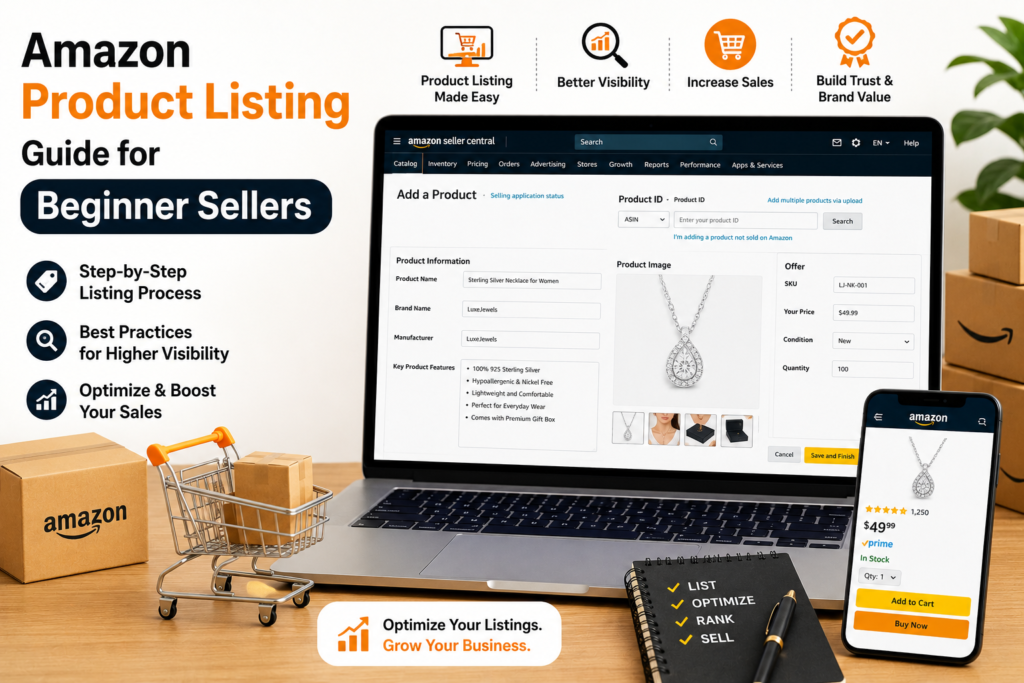
How to Add Product in Amazon: A Complete Beginner’s Guide
Amazon has an incredibly vast product selection, and every one of them is required to be listed in order for customers to be able to purchase it. The products on Amazon are immense in number and all of them have to be listed to be able to sell to customers.
Trying to sell on Amazon has grown to be one of the most convenient business enterprises along with probably one of the most rewarding. Amazon has numerous millions of customers each day, making it an enormous chance for merchants to undoubtedly promote their products and build their brand.
For those new to the platform, perhaps among the most important questions they’ll have is how add product in amazon.
Although the process certainly has a technical aspect, when you get the hang of it, it is easy to add products to your Amazon store. In this guide, we’ll cover all of this in an easily understandable manner.
Why Adding Product to Amazon Is So Important to Learn
It isn’t simply just a matter of uploading photos and inputting the price of a product on Amazon. Your product listing is your online storefront. It’s what the customers look at when they’re searching for products and making their purchase decision.
Making your listing well done can aid you to:
- Be featured in Amazon search results
- Attract more clicks
- Establish a personal bond with the purchasers
- Increase conversions
- Generate more sales
Your product will have a much better chance to stand out from the rest if your listing is optimized correctly.
Before Adding a Product to Amazon, There Are a Number of Things You Should Know
When you get ready to list, you should be sure to have all the information available.
Product Title
Develop an informative and descriptive title which informs customers what the product is.
Product Images
Provide excellent and clean images with a white background.
Product Description
Describe features, benefits, and uses in detail.
Bullet Points
Collate five points showing the most important features.
Pricing Details
Determine your selling price and MRP.
Inventory Quantity
Understand the amount of units available.
Product Identifier
If applicable, be exempt from a UPC, an EAN, or an ISBN or a GTIN.
GST and Tax Information
Have necessary tax information on hand, if applicable.
How Add Product in Amazon: Step-by-Step Process
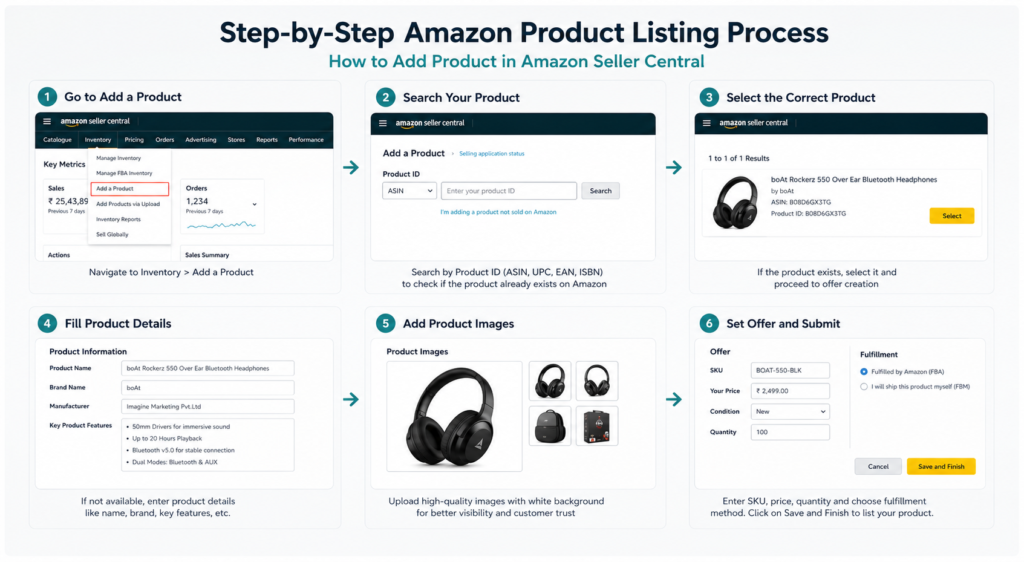
Step 1: Sign In to Amazon Seller Central
Sign in to Amazon Seller Central with your seller account details.
For a seller who hasn’t enrolled for an account yet, you’ll have to sign up first.
Step 2: Go to Inventory
When you have logged in:
- Click on Inventory
- Click on Add a Product
This section is used to add new products to the marketplace.
Step 3: Review Whether the Product Already Exists
You can find your product by using:
- Product name
- UPC or EAN
- ASIN
If the product is already being sold on Amazon, you can simply match it and offer it as well.
Step 4: Make a New Product Listing
If your product is not on Amazon, please click:
I’m adding a product not sold on Amazon.
You will then need to manually enter all product information.
Step 5: Select the Correct Category
The selection of the right category is extremely relevant to the online presence of your product; it plays a vital role in the marketing success of your product.
For example:
- Home & Kitchen
- Electronics
- Fashion
- Beauty
- Grocery
Choosing the most pertinent category will improve visibility and ranking.
Step 6: Enter Basic Product Details
Product Name
Write a title that includes keywords and effectively describes the product.
Brand Name
The input should include your brand name.
Manufacturer
Provide manufacturer details.
Product ID
Include your UPC, EAN, or GTIN exemption.
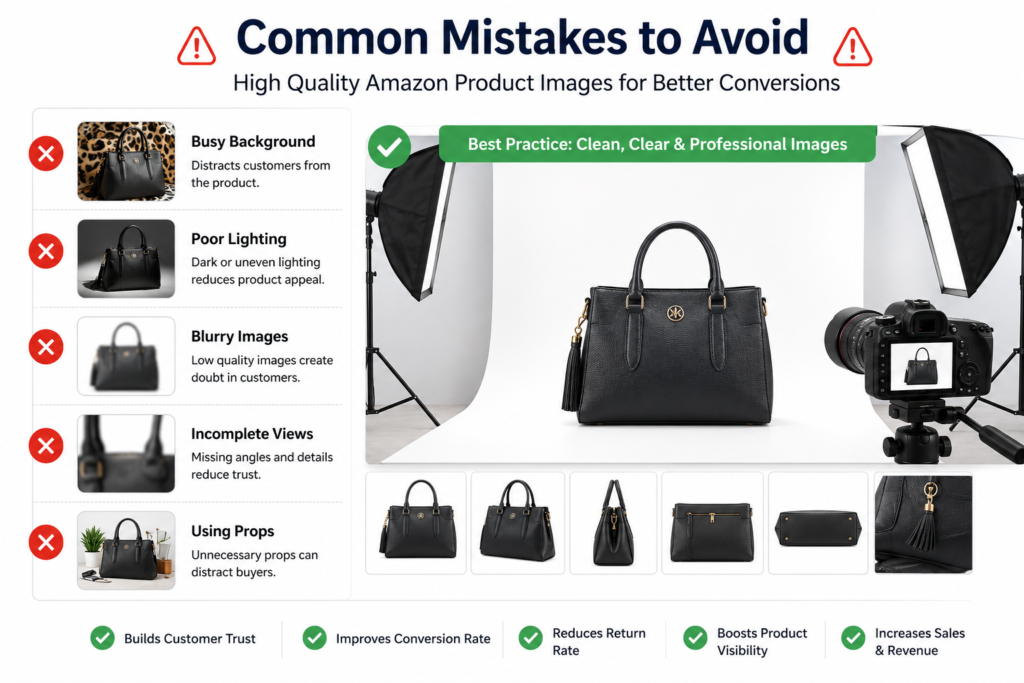
Step 7: Upload High-Quality Images
Images are a major part of boosting sales.
Amazon recommends:
- White background
- Minimum 1000 x 1000 pixels
- Product covering most of the image
- No logos or promotional text
Use several photographs of the product from different perspectives and in various applications.
Step 8: Add Bullet Points
Bullet points are often the first thing customers read.
Focus on:
- Main features
- Material and size
- Key benefits
- Usage instructions
- Warranty information
Be succinct, unambiguous, and beneficial.
Step 9: Write an Attractive Product Description
There are several things in your product description that need to be explained:
- The function of the product
- Its benefits to clients
- The solution it provides to a problem
- Important specifications
Write in natural content that is easy to read.
Step 10: Add Backend Search Terms
Backend keywords are keywords that you place on the backend of your product, which enable your product to show up in the search results.
Use other words that users may look for, but don’t include words already used in the title.
Step 11: Set Price and Stock Quantity
Enter:
- Selling price
- Maximum Retail Price (MRP)
- Available stock quantity
Competitive pricing may draw in a greater number of people to purchase this product.
Step 12: Decide Upon a Fulfillment Method
Fulfilled by Amazon (FBA)
Your products are stored and shipped by Amazon.
Easy Ship
Products are stored off-site, and Amazon collects and delivers them.
Self-Ship
Shipping is self-managed.
Step 13: Save and Publish
Once you have checked all details, click Save and Finish.
Your listing typically will be live within a few hours.
Tips to Optimize Your Amazon Product Listing
Write Clear Titles
Use keywords correctly, but do not overstuff the title.
Use Professional Images
Trust and conversion rates are boosted with good visuals.
Focus on Benefits
Describe the benefit of the product to the customer.
Include Relevant Search Terms
Utilize keywords that are going to be pertinent to your audience.
Monitor Competitor Pricing
Stay competitive and improve your odds of winning sales.
Common Mistakes to Avoid
Using Low-Quality Images
Without good visuals, there may be fewer conversions.
Choosing the Wrong Category
Incorrect categorization can negatively impact rankings.
Writing Vague Descriptions
Important and helpful information is required for customers.
Keyword Stuffing
Filling the listing with too many keywords results in an unnatural-looking listing.
Incomplete Information
Listings can be suppressed if essential information is missing.
Why Professional Amazon Listing Services Can Help
Conducting the process of creating listings that rank well, along with good customer conversion rates, isn’t straightforward for many sellers.
Listing companies are available to assist with:
- Keyword research
- SEO-friendly titles
- Bullet point writing
- Product descriptions
- Category selection
- Backend keyword optimization
This will save you time and help your listing be set up per Amazon’s best practices.
How EcomExpert Helps Amazon Sellers
EcomExpert offers comprehensive seller support for Amazon businesses, helping them thrive.
Our services include:
- Amazon product listing and cataloguing
- Seller account management
- PPC advertising
- Brand registry support
- Account reinstatement
- Sales growth strategies
From a new product launch to running a massive product line, we have the experts who can help you optimize every detail of your Amazon business.

Frequently Asked Questions
How Long Does It Take to Get the Product Added to Amazon?
Listings are published in a few hours for most sellers, but may take longer for approval in some categories.
Is a Barcode Required to List a Product?
Yes, but if you are granted a GTIN exemption, you won’t have to add one to your product pages.
May I Make Changes to the Listing Later?
Yes, titles, descriptions, images, and prices can be changed at any time.
Which Fulfillment Option Is the Best?
Fulfilled by Amazon (FBA) is highly popular due to Amazon’s shipping and customer service.
Final Thoughts
Understanding how add product in amazon is a crucial part of any individual desiring to become successful at selling on Amazon.
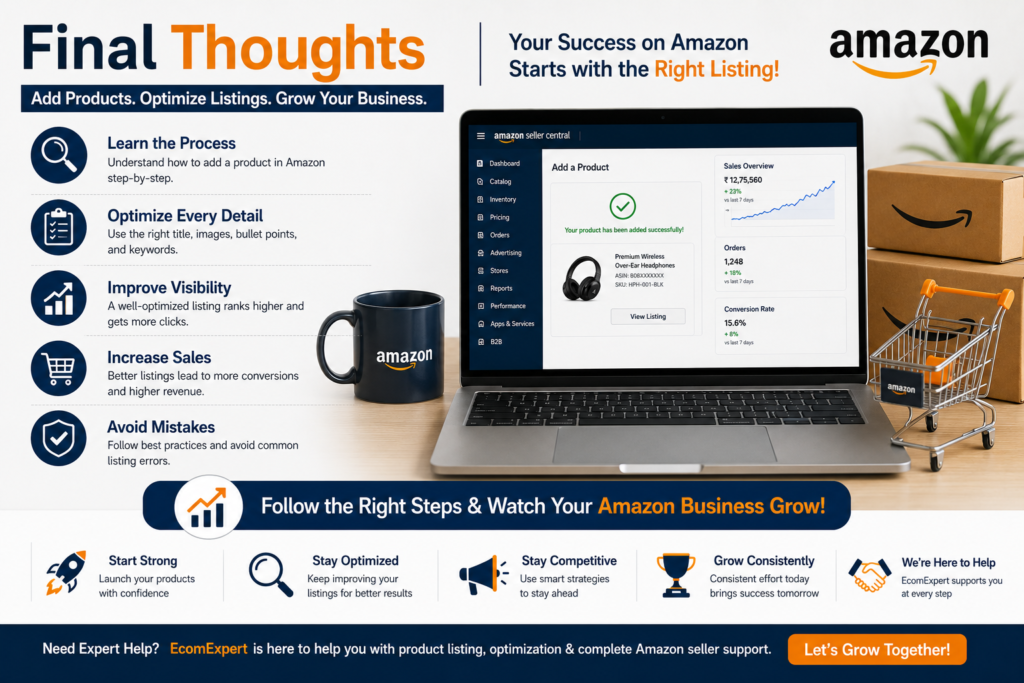
If you take the necessary steps and carefully optimize your product listing, you can gain visibility, reach more customers, and boost sales.
If you need professional support for Amazon product listing, complete product catalog management, and Amazon account support, EcomExpert is here to help you establish and grow your profitable Amazon business.