
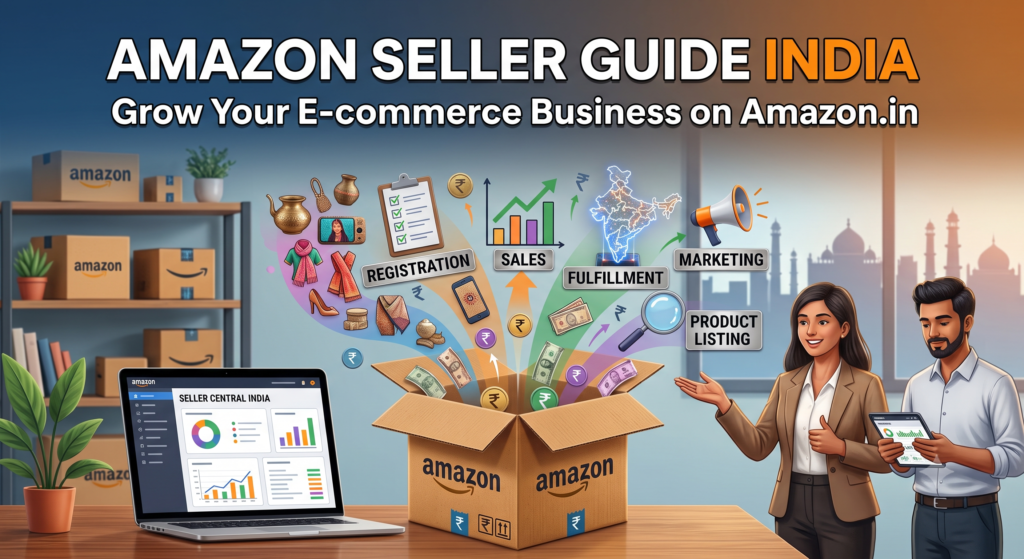
Amazon India is the largest single sales channel available to an Indian business today — crores of customers, delivery reach into every pincode, and buyer trust that took two decades to build. But between “I want to sell on Amazon” and your first steady month of profitable orders sits a series of very specific steps: registration, GST, category approval, listings that actually rank, advertising that doesn’t burn cash, and account health rules that can shut you down if ignored.
Is Guide Mein
- 1. Decide What You’ll Sell (Before You Register)
- 2. Get Your Documents Ready
- 3. Register Your Seller Account (Step by Step)
- 4. Understand Amazon’s Fees (So Pricing Doesn’t Kill You)
- 5. Choose Your Fulfillment: FBA vs Easy Ship vs Self Ship
- 6. Build Listings That Actually Rank
- 7. Launch With Advertising (But With a Plan)
- 8. Protect Your Account Health From Day One
- 9. Your First 90 Days: A Realistic Timeline
- 10. When to Get Professional Help
This guide walks through the entire journey in order. It is written from the operator’s side — we manage Amazon accounts for Indian brands every day — so along the way we’ll be honest about which steps are easy, which quietly destroy new sellers, and where getting help pays for itself.
1. Decide What You’ll Sell (Before You Register)
Most guides start with registration. Start earlier: on Amazon, your product decision is 80% of your outcome.
Check demand and competition first. Search your product on Amazon.in and study page one. How many reviews do the top listings have? If every competitor has 5,000+ reviews and you’re starting at zero, that category will be expensive to enter. Look for niches where page-one products have hundreds — not thousands — of reviews, or where the existing listings are visibly poor (bad photos, thin titles).
Know your margin before you commit. Amazon’s fees stack up: referral fee (category-dependent), closing fee, shipping or FBA fees, and GST on all of those fees. A product that looks profitable at MRP can be underwater after fees. Run your numbers through a proper Amazon price calculator before ordering inventory — not after.
Check if your category is gated. Some categories (jewellery, food, cosmetics, toys among them) need category approval with extra documentation. Approval is very achievable, but you want to know the requirements before you’re sitting on stock.
2. Get Your Documents Ready
Amazon India registration needs, at minimum:
- – GSTIN — mandatory for almost all categories (only a small set of GST-exempt products can be sold without it). If you’re not yet registered for GST, that’s your first errand; our GST guide for sellers explains the seller-specific parts.
- – PAN — personal PAN for proprietorships, business PAN for companies.
- – Bank account — a current account in the business name is strongly recommended, with a cancelled cheque or bank statement.
- – Mobile number and email — used for OTP verification and never easy to change later, so use business-owned credentials, not an employee’s personal number.
- – Address proof — for pickup address verification.
Keep scanned copies ready before you begin; the registration flow goes fastest in a single sitting.
3. Register Your Seller Account (Step by Step)
- 1. Go to sell.amazon.in and click “Start Selling”.
- 2. Sign in with (ideally) a fresh Amazon account created on your business email.
- 3. Enter your legal business name — exactly as on your GST certificate. Mismatches between GST, PAN and bank names are the #1 cause of stuck registrations.
- 4. Verify mobile via OTP.
- 5. Enter GSTIN and PAN; Amazon verifies these against government records.
- 6. Set your store name (display name buyers see — changeable later, but pick carefully).
- 7. Add your pickup address and choose shipping method (more on FBA vs self-ship below).
- 8. Add bank details for settlements.
- 9. Complete the mandatory identity verification if prompted.
Done correctly, approval typically lands within a few days. Done with mismatched documents, it can drag for weeks — this is the single step where professional help most obviously pays for itself. Our Amazon seller registration service handles the entire flow, including category approvals and rejected-registration rescues.
4. Understand Amazon’s Fees (So Pricing Doesn’t Kill You)
Every sale on Amazon India carries:
- – Referral fee: a percentage of the item price, varying by category (roughly 2–30%; most categories fall between 5–17%).
- – Closing fee: a fixed fee per unit that varies by price band and fulfillment channel.
- – Shipping/fulfillment fees: what you pay depends on whether you use FBA, Easy Ship, or Self Ship, plus the item’s size and weight.
- – GST on fees: 18% GST applies to Amazon’s fees (input credit is claimable if you’re GST-registered).
The practical takeaway: price from your costs up, not from competitors down. Calculate landed cost + fees + a real margin, then check whether that price is competitive. If it isn’t, the product or sourcing needs to change — not the margin.
5. Choose Your Fulfillment: FBA vs Easy Ship vs Self Ship
- – FBA (Fulfillment by Amazon): you send stock to Amazon’s warehouse; they store, pack, deliver and handle most customer service. Prime badge, better conversion, faster delivery — at the cost of storage and fulfillment fees, and the discipline of inventory planning. For most serious sellers, FBA on your best-sellers is the right call. Our FBA services cover enrollment, shipment prep and the reimbursement claims most sellers never file.
- – Easy Ship: you store and pack; Amazon’s courier picks up and delivers. A sensible middle path for new sellers and slow movers.
- – Self Ship: you handle everything, including delivery, through your own courier. Maximum control, maximum work, and hardest to keep delivery metrics healthy.
Many successful sellers run a hybrid: FBA for fast movers, Easy Ship for the long tail.
6. Build Listings That Actually Rank
Amazon is a search engine with a shopping cart. Its ranking algorithm (sellers know it as A9/A10) decides which products appear when a buyer searches — and it feeds on the text and performance of your listing.
A listing built to rank has:
- – A keyword-researched title that leads with what buyers actually type, follows category style guides, and stays readable.
- – Bullet points that sell benefits while naturally covering secondary keywords.
- – Backend search terms — the hidden keyword field — filled to its byte limit with terms that didn’t fit the visible copy, no repetition, no competitor brand names.
- – Images that meet Amazon’s standards: white-background main image, 1000px+ for zoom, lifestyle and scale shots, and ideally an infographic covering key specs.
- – Complete attributes — every field filled, because filters use them.
- – A+ Content (if Brand Registered) for richer product pages that measurably lift conversion.
This is a craft, and it’s the highest-leverage work on your account: ads can rent visibility, but listings own it. If you’d rather have it done by people who do it daily, that’s exactly what our Amazon listing optimization service is for.
7. Launch With Advertising (But With a Plan)
New listings have no sales history, so Amazon’s algorithm has no reason to rank them. Sponsored ads bridge that gap. A sane launch structure:
- 1. Automatic campaign at a modest daily budget — Amazon finds search terms for you; you harvest the winners.
- 2. Manual campaign with those proven terms — exact and phrase match, bid-controlled.
- 3. Weekly negative keyword pruning — the single habit that separates profitable ad accounts from money furnaces.
Watch ACoS (ad spend ÷ ad sales). Early on, a high ACoS on a new product is an investment in ranking; long-term, your target depends on your margin. If your ads run but you never prune, restructure or dayparting-test them, you’re leaving money on the table every day — which is why managed Amazon PPC usually recovers more than it costs.
8. Protect Your Account Health From Day One
Amazon suspends accounts — new sellers underestimate how quickly. The metrics that matter:
- – Order Defect Rate (ODR) under 1% — driven by negative feedback, A-to-Z claims and chargebacks.
- – Late Dispatch Rate under 4% — ship on time, every time.
- – Cancellation rate under 2.5% — never oversell stock you don’t have.
- – Policy compliance — authentic products, accurate listings, no review manipulation (no “family and friends” reviews, no incentivised reviews — Amazon detects both).
Set a weekly ritual: open Account Health, read every notification, fix causes not symptoms. If the worst happens and you’re suspended, don’t fire off a panicked appeal — a rushed, generic Plan of Action burns your best chance. Our Amazon reinstatement service exists for exactly that moment.
9. Your First 90 Days: A Realistic Timeline
- – Weeks 1–2: registration approved, listings live, automatic ads running.
- – Weeks 3–4: first organic orders; harvest search-term data; fix whatever the first reviews complain about.
- – Months 2–3: manual campaigns tuned; consider FBA for your proven sellers; apply for Brand Registry if you have a trademark; build toward 3.8+ average rating.
- – By day 90: you know your real numbers — conversion rate, ACoS, return rate, margin per SKU — and can decide what to scale.
Sellers who fail on Amazon usually fail here: they treat the first 90 days as a verdict instead of a data-collection phase. The winners iterate.
10. When to Get Professional Help
You can absolutely do all of this yourself — thousands of sellers do. Professional Amazon account management makes sense when:
- – your time is worth more in sourcing/manufacturing than in Seller Central,
- – ad spend is meaningful and ACoS is drifting,
- – you’re expanding to FBA, Brand Registry or multiple marketplaces at once, or
- – account health issues have started appearing.
We manage the full stack — listings, ads, inventory, health, reimbursements — for Indian brands from ₹0 to well past ₹1 crore/month in marketplace revenue. If you want an honest read on your account (or your launch plan), message us on WhatsApp at +91 92113 84333 — the first look is free.
Also in this series: Amazon Seller Registration Documents & Timeline · Individual vs Professional Seller Account · Getting Gated Categories Unlocked · Amazon Seller Fees Explained · Your First 90 Days Checklist. (Publish these as the cluster articles and interlink them here.)